

Sendhub Blog

May 08

SendHub adds Auto Attendant and Android in-app purchase

Our engineers continue to ship new features for our customers.Last month, we shipped the new Android app, expanded business features, and added unlimited SendHub to SendHub calling. Last week, we launched sound notifications and iPhone in-app purchase. Today, we’re excited to announce two more updates:

Auto Attendant

Direct your calls from your main business phone line to any department. Record a message with numerical codes (ex: Dial 1 for Sales, 2 for Support etc.) to let the caller know what the dialing options are. When the caller types a number into their phone, they will be automatically transfered to their selection. You need multiple phone lines in order to use “Auto Attendant”. Click on “Add a Line” now to get started.

Android in-app Purchase

You can now buy texts, calls, and groups right from your android app. Click on menu options (three dots) on the top right of your SendHub Android app and select “Settings” to upgrade now.

image

Sign-up for SendHub if you haven’t already, and let us know how we are doing on Twitter and Facebook.

Apr 24

Hacking Flask: A Success Story


AKA Flask Howto: Add request execution time to log output

By Jay Taylor, published April 24th 2013


I scoured the internet high and low for a way to add request execution time logging to my Flask server console output, but failed to find any examples of how to do it. Here is my formula for one way to make it happen.

We are going to turn this:

INFO:werkzeug:127.0.0.1 - - [24/Apr/2013 18:36:46] "GET / HTTP/1.1" 200 -

into this:

INFO:werkzeug:127.0.0.1 - - [24/Apr/2013 18:45:13] "GET / HTTP/1.1" 200 - [37ms]

It turns out that the HTTP server component of Flask is a super thin wrapper around the Werkzeug WSGI library. The strategy is simply going to be implementing our own subclass of werkzeug’s BaseRequestHandler with a few overrides to capture and then inject information related to HTTP request execution time:

serving.py:

# -*- coding: utf-8 -*-

import time
from werkzeug.serving import BaseRequestHandler

class MyFancyRequestHandler(BaseRequestHandler):
    """Extend werkzeug request handler to suit our needs."""
    def handle(self):
        self.fancyStarted = time.time()
        rv = super(MyFancyRequestHandler, self).handle()
        return rv

    def send_response(self, *args, **kw):
        self.fancyProcessed = time.time()
        super(MyFancyRequestHandler, self).send_response(*args, **kw)

    def log_request(self, code='-', size='-'):
        duration = int((self.fancyProcessed - self.fancyStarted) * 1000)
        self.log('info', '"{0}" {1} {2} [{3}ms]'.format(self.requestline, code, size, duration))

gist

Next we tell the server which request_handler to use where the server gets started:

Before:

app.run(host='0.0.0.0', port=port)

After:

app.run(host='0.0.0.0', port=port, request_handler=MyFancyRequestHandler)

And then that’s it, we’re all done.


I’m impressed with Flask’s potent combination of simplicity and flexibility. It’s second to no other python web framework I’ve encountered.

Apr 23

SendHub adds iPhone in-app purchase and sound notifications

Our engineers are hard at work launching new features for our awesome customers. If you missed our news last week - we launched an Android app, unlimited SendHub to SendHub calling and expanded business features. This week, we have some more news for you.

iPhone in-app purchase

We have added a new feature exclusively for our iPhone customers. If you are an iPhone user, you can now buy more texts, calls, and groups right from your SendHub app. We have also added special promotional pricing: $9.99/month only for unlimited texts, 150 voice minutes and 10 groups of 100 contacts. That’s a steal! Click on your profile settings now to upgrade.

image

Sound notifications for texts recieved on your PC

This has been one of the most requested features from our customers. Now when you receive a text message on your PC or your laptop, you will get a sound notification immediately. Don’t miss any more SendHub messages while you are browsing the web.

If you haven’t tried SendHub yet - sign up now for free. If you need more than 5 business lines or the premier plan, contact our sales team for special pricing.

The SendHub Team

Apr 15

SendHub launches Android app and expands business features

In 2011, Garrett, John and Ash started SendHub to build a communications platform for Garrett’s nephew’s school. Since then a lot has happened - we graduated from Y-Combinator, raised $2M from a handful of angel investors and have been hard at work building out our platform.

Our mission has always been to build a simple, fast and reliable communications platform for businesses and organizations. Today, we’re one step closer with the availability of Android app, unlimited SendHub to SendHub calling, and some rockin’ new business features.

Android app

The Android app is finally here. Download it from the Play Store and get all the awesome desktop features on your Android smartphone and tablet. Call and text over WiFi, 3G/4G data, or cellular voice networks using your SendHub number.

image

You can even use the native dialer of your Android phone to make outbound calls with your SendHub number - avoid the extra hassle of opening the Android app to place a call.

Unlimited SendHub to SendHub calling

No more worrying about SendHub minutes when you call your co-worker using a SendHub number. Unlimited SendHub to SendHub calling is now available on all plans. (Unlimited SendHub to SendHub texting is already available on all plans.)

New business features

We’ve recently added a collection of new features making it easy to use SendHub for your business or organization:

Why SendHub is right for your business?

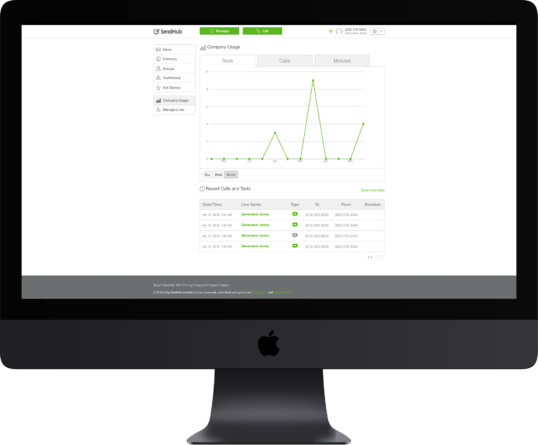
If you are a business owner or an IT admin, you want a phone system that is easy to use and manage, and also allows your employees to use their own devices. Using SendHub, you can easily add, delete or reallocate phone lines, monitor usage and download analytics with a single click.

You have no hardware to setup, no contracts and it just works on any device. You get the first phone line for free and additional phone lines start at $10/month - Try it now for free. If you need more than 5 business lines or the premier plan, contact our sales team for special pricing.

P.S. Don’t forget our group texting feature, which you can use to broadcast marketing and reminder text messages to all your customers, employees and suppliers.

The SendHub Team

Nov 21

How to serve Django Statics (and not go insane)

Performance

It’s crucial for a website like ours to be as responsive as possible. One of our goals over the last couple months has been to improve our website’s performance. Not that page load time was particularly slow for a single page web-app, but we knew there was room for improvement. This post will take a look at some of the steps we took to improve performance.

Before we even start you might be thinking: “Aren’t there libraries which solve all these problems for you? Why not just install one of those and be done with it?”

Normally I’d probably agree with you, and in this case we did start with a library - we used Django Compressor. But (for legacy reasons we wont go into here) it drove us insane. Eventually we just bit the bullet and built our own. Sometimes its easier just to roll your own library than to try and bend an existing solution to fit all your needs. What was probably most surprising about this process was just how many little changes were necessary to finally make a dent in the numbers. Here’s how we did it.

Measure Twice, Cut Once

We already knew about the Performance Golden Rule:

80-90% of the end-user response time is spent on the frontend. 
Start there.

And two crucial tools: PageSpeed and YSlow. These tools will help you identify problems that cause your site to run slow.

Here were things we did:

Enable GZIP

We had GZIP enabled for all our pages (through django middleware), but we were serving static assets from an S3 bucket. There’s a workaround to this problem but it has the side effect of breaking anyone who doesn’t have support for GZIP. This is not acceptable. And its an unnecessary problem.

Instead, serve your assets with your web server and use a reverse-proxy CDN to cache them. Both Amazon CloudFront and CloudFlare can solve this job, however we found that CloudFlare (not amazon) was easier to use and did not have any worse performance. GZIP will be handled properly (with the addition of appropriate Vary headers) and you’ll get two nice side benefits: (1) it works the same way locally and (2) there’s no additional step when you deploy.

Combine Scripts & Styles

We were already doing this but its worth mentioning because it makes such a big impact. Something like this:

def get_package(typ, package):
    contents = ""
    for file_name in package:
        file_path = os.path.join(root_dir, file_name)

        _, file_contents = get_file(file_path)

        contents += file_contents + "\n"

    if typ == 'js':
        contents = process_javascript(contents)

    return (hashlib.sha1(contents).hexdigest(), contents)

Don’t Combine All Scripts

This is in conflict with #2 but it turns out there’s a major downside to combining all your scripts together. Anytime any one of them changes you have to redownload the whole thing. Depending on the size of your scripts this could be a huge hit. So instead consider breaking up your large package into a couple of smaller packages. One to house relatively unchanging libraries (like jquery) and another to house the code that you are changing every day.

The other key here is to use a library like head.js to dynamically load these scripts asynchronously (so they are loaded simultaneously).

Embed Images

Embed your images directly in your css files using data-uris. You can generate them fairly easily:

def get_data_url(fp):
    _, ext = os.path.splitext(fp)
    encoded = ""
    with open(fp, "rb") as handle:
        encoded = base64.standard_b64encode(handle.read())
    return "data:" + mime[ext] + ";base64," + encoded

Embedded images like this work mostly across the board, but a simple fallback is just to serve the images directly for browsers that can’t handle the data-uris. (IE < 8)

If that doesn’t work out, at least sprite your images together. Then there’s only one request needed. (Like this: https://www.google.com/images/nav_logo114.png)

Defer 3rd Party Libraries

For 3rd party libraries that aren’t really needed immediately (facebook, twitter, google+, …) load them after page load. This can work for tracking js libraries too.

Static Domain

Use a separate cookieless domain to serve assets. (We use shtatics.com) This cuts down on http request overhead.

URLs

Use a URL scheme like this:

http://{cookie-less-domain}/assets/{hash}/{path}

Not like this:

http://{cookie-less-domain}/assets/{path}?version={hash}

Because proxies don’t like the ? in the URL. Or this:

http://{cookie-less-domain}/assets/{hash}

Because that makes things really hard to debug. Also use the contents of the file to generate the hash not a timestamp… ever so slight variations between server timestamps is something you’d rather not have to think about.

Caching Headers

Use the appropriate caching headers. Set Cache-Control to public and give it a really long max-age (like 1 year). Because we use hashes in the URLs of our assets we never have to worry about a stale cache.

Processing

Finally set up your library in such a way that you can add processing steps to the outputs of js and css packages. This way you can do things like minify your javascript (strip comments and whitespace), but it also gives you the ability to do more sophisticated types of processing (for example it allows you to use SASS or CoffeeScript).

Nov 20

6 Easy Marketing Tips for Black Friday

With Black Friday just three days away, retailers around the country are ramping up marketing efforts for the imminent swarms of coupon-clutching customers. Unfortunately, email marketing isn’t sufficient anymore. Our advice to retailers: Setup an SMS marketing campaign now

Every year stores are opening earlier, and staying open later to fully cash in on the holiday rush. Last year, Forbes wrote of the record breaking Black Friday Weekend with online and instore sales totalling $52.4 billion. As you can imagine, this presents an enormous opportunity for businesses and customers alike.  

Don’t you wish there was a way to directly inform individual customers about how much inventory is left of a product you already know they want, what similar deals might interest them, and how they can get it more quickly than everyone else?

At SendHub, we believe that there’s a more effective way to distribute these deals— and it’s not blasting your customers with emails. Opt-in text messages (unlike this case!) let you, the retailer or marketer, send targeted text message deals, exclusives, inventory updates and more to customers who actually want to receive them. 

Texting Tips for Retailers: 

1. Offer Text alerts: If you have yet to do this, you’re missing out on a huge opportunity. Give customers quick sales announcements or exclusive “text only” deals to spur the buying spree of Black Friday. SendHub offers various options to best suit your needs.

2. Identify Yourself: Your messages will come in with those of friends and family. Make it clear who is messaging them from the start. “Hi- SendHub here! Exclusive offer on all plans through Monday! Text DEALS to 650-555-5555 for details.” 

3. Give Opt-In Customers Even MORE: These customers are telling you that they love your brand— so much so that they’re willing to give you direct access to their pocket. Sweeten up the regular in-store 20% off deal with an extra 5-10% or free [insert low cost, customer-keeping product]. 

4. Keep & Use Customer Information Wisely! The information you collect can be reused throughout the holiday season and into the future. However, don’t lose your customers by abusing their information with too many texts. This is an opportunity to thank your customer for letting you text them deals and alerts. 

5. Write Brief and Focused Messages: There’s no room for fluff in these messages. Leave out the extraneous deals and tell them what the deal is and how they can claim it. 

6. Text-to-Join: Leverage this high traffic time to get as many people on your text/mailing list as possible. After Thanksgiving and Black Friday is Christmas where the buying continues. Make joining your mailing list as easy as possible by saying “Text SIGNUP to 650-555-5555 to get deals through christmas!”


Thanks for reading!

Peter Walters & The SendHub Team 

Nov 14

How Papa John’s Could Have Saved $250MM

U.S. Pizza chain, Papa John’s is in trouble— we’re talking serious marinara sauce. Today, trouble is a $250 million class-action lawsuit for sending 500,000 unwanted text messages to their customers through a mass text messaging service. Yikes!

What could Papa John’s have done to prevent this?

At SendHub we pride ourselves on protecting our consumer’s privacy. We make it clear to advertisers importing contacts that sending unsolicited messages is strictly against our terms of use, and illegal according to the Telephone Consumer Protection Act (TCPA). This shows in our stats. Collectively, SendHub users have an average block/unsubscribe rate of 0.004%. We are proud of this, especially considering that 97% of text messages are read, and 83% are read in the first hour.

After a lawsuit this large, it’s unlikely that companies like Papa John’s will ever haphazardly spam their users with sms messages again. 250 million pepperonis is no small price even for a company that size. However, if they decide in the future that they want to tastefully message (or pepper!) their users, well, lets just say we’ll be waiting for their text. ;-)

Head over to SendHub to sign up and deliver pizza deals the right way.

 Peter & The SendHub Team

Nov 09

Why can’t I vote online or from my cell phone?

Voting, Computers and the Future of Cybersecurity, November 9, 2012

Our Current Voting System is Broken.

Voting can be tedious. Between the “shade in the bubble” process, physical presence, and now, unforeseen natural disasters, actually getting out the vote can be difficult. Voting for a president is one of our greatest rights as American citizens. Today literally millions of us are excluded for the voting process for various reasons— some of course by choice. And while it is time for a change, the technology (or more accurately, the security) is not there yet. 

If our intention is to enable more Americans to participate in elections, then the process needs to be quick, convenient and digitized. If we can do our banking online (even from our cell phones), store gigabytes of personal data online, and even conduct multibillion dollar deals online, why are we still voting in person or by using the postal service? The system is antiquated. Computer scientists, cybersecurity specialists, entrepreneurs and innovators need to continue to work together to improve computer and internet security, because we’re definitely not there yet.

Email Voting Begins…

This year we were faced with a natural disaster that prevented hundreds of thousand of people from getting to the polls. The Governor of New Jersey, Chris Christie, made the decision to allow registered voters displaced by Hurricane Sandy to vote electronically— i.e. by email. In a November 3rd statement from the New Jersey State government website, Lieutenant Governor Kim Guadagno is quoted saying: 

“This has been an extraordinary storm that has created unthinkable destruction across our state and we know many people have questions about how and where to cast their vote in Tuesday’s election. To help alleviate pressure on polling places, we encourage voters to either use electronic voting or the extended hours at county offices to cast their vote…” 

Amazing, right?!

Not quite. Here’s the process:

While on the surface this seems like a tremendous step forward in voting technology, the process is not so simple. 

To vote electronically, displaced voters may submit a mail-in ballot application either by e-mail or fax to their county clerk. Once an application is approved, the clerk will electronically send a ballot to the voter by either fax or e-mail in accordance to the voter’s preference. Voters must return their electronic ballot – by fax or email – no later than November 6, 2012, at 8 p.m.”

…oh, and they forgot to mention the “Waiver of Secrecy” form which  also needed to be returned by 8pm on Election day. More recent updates also necessitate that the online voter also send a physical ballot in for verification by Friday…after the election is over…

The voter needs a bunch of things at her disposal in order for this to work: a computer or fax machine, mailbox (or transportation to a public one), printer and quite a bit of time. Not easy if your house is gone, you have kids to take care of and you don’t have a computer or fax machine. While the effort was definitely a step in the right direction—and a decent test for the possibility of E-voting in the future, it was rushed and not sufficient. Countless Americans may have still been blocked from fulfilling their constitutional right to vote.


Why Email, Text or Online Voting Won’t Happen For a Long Time

The problem is that of security…hackers. Minor vulnerabilities in various stages of internet and computer security have major consequences on our ability to protect sensitive data and secure the online voting process (whether through a website, email or text message). Virtually any computer, company or server is vulnerable to cyber attack. Most big, “secure” companies (including banks, government even cybersecurity agencies!) have, or likely soon will be hacked. This is a serious issue. Even the Pentagon is not immune. Online spies have hacked top secret information from the Pentagon’s $300 billion Joint Strike Fighter Project, and even implanted bugs in American drones. 

Professor J. Alex Halderman, a computer scientist at the University of Michigan, writes in the Freedom To Tinker Blog about Attacking the Washington, D.C. Internet Voting System Pilot in 2010:

“The specific vulnerability that we exploited is simple to fix, but it will be vastly more difficult to make the system secure. We’ve found a number of other problems in the system, and everything we’ve seen suggests that the design is brittle: one small mistake can completely compromise its security.”

A forum on E-Voting was held at Princeton University where panelists discussed the risks and opportunities associated with e-voting for more than three hours. The primary concern for all parties was security. The consensus? We’re definitely not there yet.


How to Address The Security Problem

“Everything should be made as simple as possible, but no simpler.” ~ Albert Einstein 

Unfortunately, we need to reinvent the computer. Peter G. Neumann, a renowned 80-year-old computer scientist at SRI International, reasons that the only viable solution to the computer security crisis is to study all previous research, hand pick the best ideas and systems, and then rebuild something completely new from the ground up. 

Is the reinvention of the computer, programing and the internet as we know it going to happen in this lifetime? Probably not. Is it possible? We should hope so. 

Right now we need: 

 In the long term we need: 


The Consequences

The consequences of maintaining both our antiquated system of in-person voting, and our current method of writing code using computers, and casually throwing personal data across the internet are serious. Security is at the heart of these issues— your security! This is your finances, personal information and data, emails, pictures, work documents and so much more at risk. Voting is just one more example of an outdated and broken system. The real issue is one of computer and internet security. 

Thanks for reading!

Peter Walters & The SendHub Team 

Oct 30

8 Ways to Easily Enhance Your Customer Service

In the social media age, where reviews and opinions are abundant, good customer service (CS) is essential for every company. Southwest Airlines, FedEx, Amazon.com, Bonobos and Zappos as examples of companies that treat customer service as an opportunity—a strategic business investment. These companies all have strong commitments to ensuring a simple and seamless buying process— and if problems do arise they work fast to fix them. These are just a few of the companies that made MSN’s 2012 Customer Service Hall of Fame List. Keep in mind that quality customer service is one of the most important ingredients to a sustainable and quality business strategy.

Here are 8 tips that can make a frustrated customer leave your website feeling happy, helped, and even inclined to share your company with their community. 

1) Make customer service a priority for your company. It’s easy to give customer service a backseat when growth and expansion are your primary goals, however countless studies show that good customer service adds tremendous value to your business. 

 “If you focus on doing what is right by the customer, your chances of success skyrocket. Bringing happiness to everyday transactions is what drives brand loyalty and encourages customers to spread the word to friends and family.” -Jay M, Customer Support, Zappos

2) Be Friendly. It seems like a simple thing, but when a customer is frustrated and needs help, they want to talk to a person— not a bot. Ask how their day is going, and if there is an appropriate opportunity, try to get to know somebody! Drop the script and just be your friendly, helpful self. 

3) Empathize. Often times your customers are angry when they visit your site for support. Recognize this, forget all the other people that have been yelling at you all day, and start fresh. You are the voice for your company. That’s a huge responsibility, and your response can mean the difference between a lost customer and a sale/upgrade. Feel their frustration, and make your goal to solve their problem, and have them leave feeling satisfied. Anything less should be unacceptable. 

4) Adapt. Customers will be angry, frustrated, confused, happy, chatty, and sometimes just plain rude. Try to recognize these moods early on in your conversation and adapt your tone to fit. If a customer is struggling to register, you could say “You’re not registering properly. Please try again.” or “I see you’re having some problems registering—sorry for the inconvenience. Let’s see what’s going on so we can get you  started.” Two approaches: one of which is cold and pretty unhelpful, the other friendly, warm and focused on the customer and solving their problem. As Mark Schaefer writes: “I realized that the customer is NOT always right. But the customer is always the customer.  I was the one who had to adapt to survive and compete.”

5) Keep a record to keep improving.  Keeping track of all questions, their frequency, and the answers you give will help you make your product better. Desk.com is a fantastic resource to use so nothing falls through the cracks and you can prioritize issues. If you get 20 questions a day asking where the Purchase button is on your website, you would be wise to reevaluate the placement of that button. If customers are constantly asking you what your company does, you know it’s probably time to redesign your  homepage.

6) Don’t keep your customers waiting, even if you don’t have an answer yet. The more available you can be, and the more quickly you can answer the phone/email/chat, the better. We all have painful stories of waiting on hold for hours listening to elevator “music.”  Don’t make your customers wait. Even if you respond saying that you don’t have an answer yet, it will mean a lot to the customer. For example:

Hey Sarah, 

I just wanted to check in and let you know that we’re still working on this and we’ll let you know ASAP when we have a solution. Thanks for your patience and for being a great customer!”

Better than radio silence for a number of hours or days, right? Put yourself in your customer’s shoes. If they are on hold, and you’re waiting for a manager to get back to you with an answer, get back on the line and tell them what’s going on. 

7) Empower your customer service team. Bonobos has the best customer service I have personally ever experienced. The customer service “Ninjas” don’t need to pass my requests on to their supervisors. They can give me discounted products, refunds and solve my issues on their own. If you have a business, let your CS staff make decisions using their judgement on all matters that can be solved for under $50 (you pick the cap). This way, you avoid the little questions and issues, your CS team feels empowered, and your customers problems can be solved quickly and without issue.

“We just want to be as easy as possible to deal with, period. We want to be fast, we don’t want to keep you waiting for a day to get a response from us. We also want to be really personable. In terms of being easy, we want to use the easiest policies that we can to make it easy to do business with us.” -John Rote, VP of Experience, Bonobos

8) 100% Customer satisfaction guaranteed. Make visiting your website and purchasing products from you as easy and enjoyable as possible. Give free shipping, free returns, get rid of the standard ‘30 days return’ policy and put your customers first. Always. Even if they wear your pants for a few months and decide they don’t, in fact, fit that well, take them back— no questions asked— and refund them fully. It won’t cost your company much, but I guarantee your customer will be back again, and will likely become a brand ambassador for you without asking.

While we could go on, these 8 tips will add a lot. If implementing these changes is expensive or time consuming, ask yourself whether customer service is going to be a necessary operational expense or a business investment for your company. We think the latter. If you want to know how the best does it, have your customer service team read  Delivering Happiness, which explains how Zappos got to be the best in the business. 

Now get your customer service team off script, empower them to make the decisions that will leave your customers happy, and remember that customer service is an opportunity, not just a necessity. 

Thanks for tuning in!

By Peter Walters & The SendHub Team

Oct 25

How Do You Get Students to Read Your Emails?

The short answer: Stop sending them. 

One of the biggest frustrations for educators, coaches and administrators in K-12 and higher education is students not opening emails. This problem is not new, and is only getting worse. Fortunately, some in the education community are exploring new “tricks” and adopting new messaging solutions. 

If you want students to read your messages, send them a text. 

Monterrio Jones, Direct Loan Coordinator at Voorhees College, is one of many administrators using text messaging to communicate with students more effectively. Below are a few examples of how Jones and others have used texting to simplify communications with students. 

Scheduling Meetings: At Voorhees, for example, students can text the keyword ‘Appointment’ to the Office of Financial Aid’s SendHub number and are added to the “Appointments” group. The administrator can simply respond directly to the student with an available time. Jones mentioned that before using SendHub he consistently had 45 students packed in the lobby waiting to meet with an advisor. Now, after just two months of using SendHub? Only 3 students, and meetings can be confirmed instantly from any cell phone.

Academic Calendar Reminders: Lots of students want to attend campus events, but when the school sends copious emails everyday with the entire week’s activities, schedule changes, and safety reminders, remembering to actually go to these events can be tough. Using SendHub’s Scheduled Message feature, setting up and sending reminders to students is effortless. Just schedule a reminder about one specific event to be sent to all students (or interested groups) 30 minutes before it starts. No more hoping that they will check their email in time. As long as you have their phone number, you can assume students will get your message. 

Delays & School Closings: Many students travel long distances to get to school. On days where the weather is inclement, reaching students, faculty and staff quickly is essential. Now administrators can send a message to students (and their parents) with transportation schedule updates, whether classes are cancelled, or if the school will be closed for the day. 

Parents: Parents can be just as difficult to reach as students. Now teachers and administrators can send quick, targeted messages to parents about anything— from important notices about lice going around school, to reminders about upcoming parent-teacher meetings. SendHub helps bridge the virtual gap between a school, parents and students.

For more information on how to ensure that students and parents receive your messages, or to get a SendHub number for free in under a minute, visit www.sendhub.com

Thanks for reading!

Garrett & The SendHub Team